
 BEX is my wife's nickname. I started GameBEX to get her into video games.
Play together
Play with a second phone on your Wi-Fi. Choose a game, host a session, and join from the other phone.
Play together connects two phones running GameBEX on the same Wi-Fi so two people can play one game. One phone hosts, the other joins, and GameBEX gets the game, the emulator and the connection ready on both before it starts.
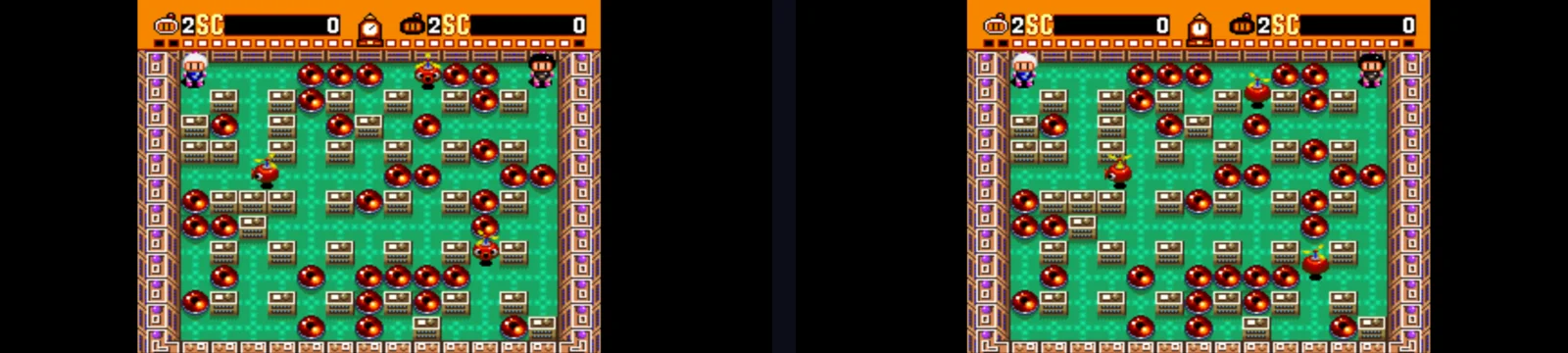
Session types
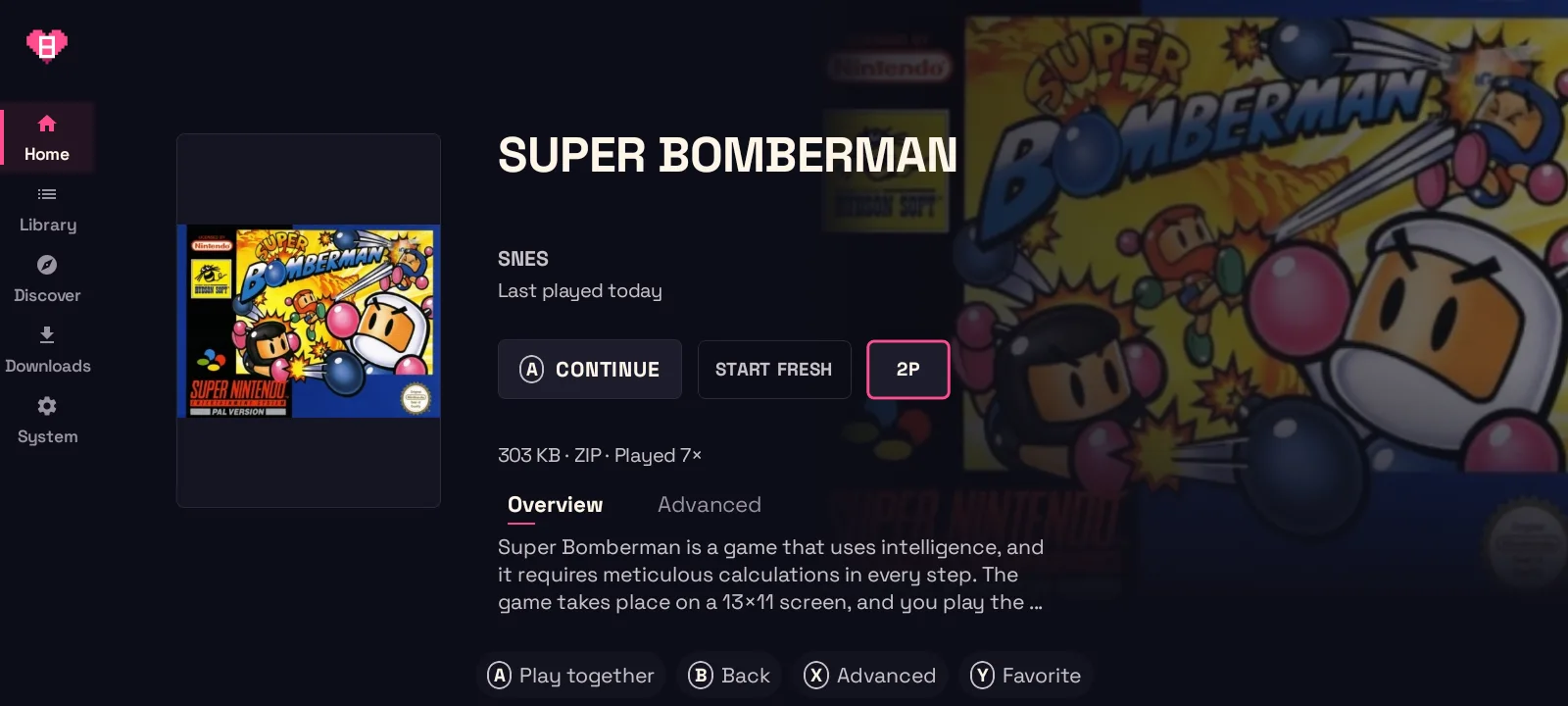
Section titled “Session types”A game can be played together when its page has a 2P button next to Play. GameBEX picks the session type from the game’s system, and the host’s screen shows which one it is.
| Session type | Systems | How it works |
|---|---|---|
| RetroArch netplay | SNES, Satellaview, NES, Genesis, Master System, Game Gear, Sega CD, SG-1000, TurboGrafx-16, TurboGrafx-CD, arcade and Neo Geo (FBNeo) | Both phones run the game in RetroArch, and RetroArch keeps them in step. |
| Game Boy link | Game Boy, Game Boy Color | Each phone runs its own game in RetroArch (Gambatte), joined like a link cable, for trading or 2-player modes. The two games can differ, like Pokémon Red and Blue. |
| PSP ad hoc | PSP | Both phones run the game in PPSSPP and meet in the game’s own ad hoc mode. |
| Stream | Every system GameBEX can play | The game runs on the host. The other phone receives its picture and sound, and controls player 2 where the emulator supports a second controller. |
Stream can share a game from any supported system. Two-player control depends on the game and emulator; see Stream below. Where a system also has a session type above, that stays the default and the host screen offers Use Stream instead. The other phone only needs GameBEX, not the game or emulator.
What each phone needs
Section titled “What each phone needs”Every session type:
- Both phones on the same Wi-Fi network.
- The same version of GameBEX on both phones.
RetroArch netplay, Game Boy link and PSP ad hoc, on both phones:
- The game’s emulator. System installs any that’s missing.
- Shizuku running, with GameBEX allowed. GameBEX uses it to restart RetroArch cleanly before each session and to set up PPSSPP.
- For RetroArch: All files access, which RetroArch asks for the first time you open it.
- For RetroArch netplay: the GameBEX RetroArch build from System (1.22.2_GIT or newer). Older builds, including the 1.22.2 release, crash when the second phone connects and misread player 2’s buttons, so GameBEX asks you to update RetroArch first.
Stream:
- The host: Android 13 or newer, the game and its emulator, and Shizuku running with GameBEX allowed. GameBEX uses it to add player 2’s controller and to send the game’s picture and sound.
- The other phone: Android 10 or newer. Nothing else.
Start a session
Section titled “Start a session”-
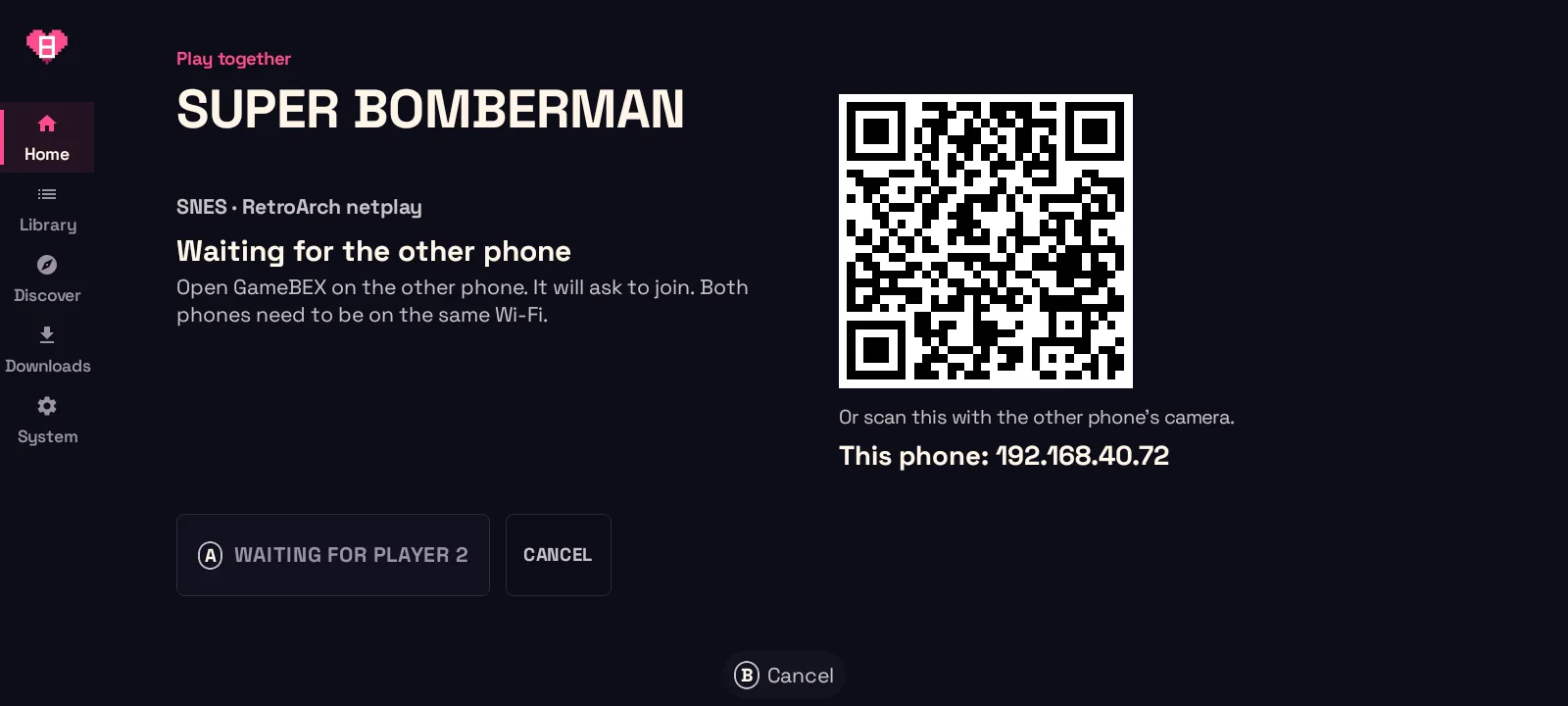
Host. On the host phone, open the game’s page and press 2P. GameBEX shows Waiting for the other phone, a QR code, and this phone’s address.
-
Join. On the other phone, join one of three ways:
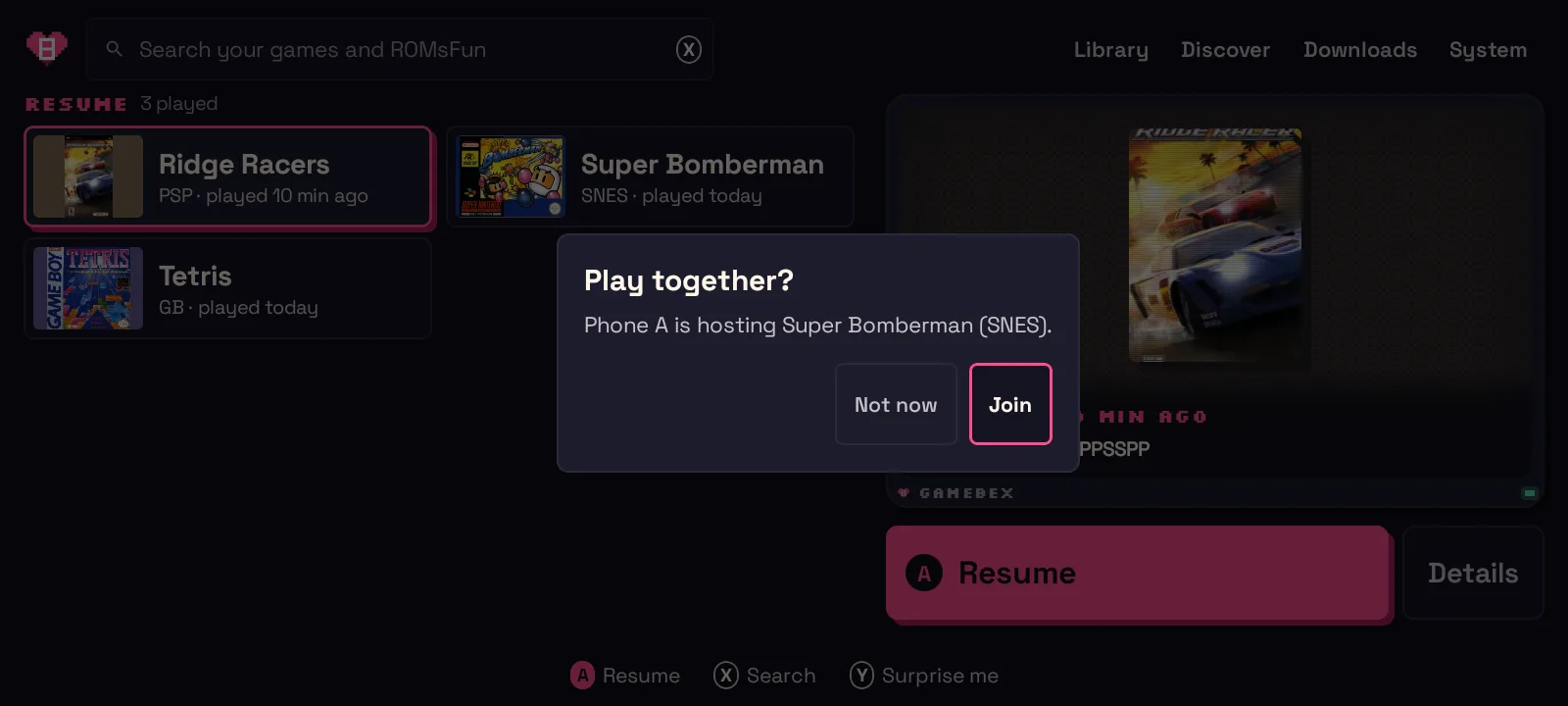
- The invite. While GameBEX is on Home or Library, it asks Play together? Choose Join.
- The Together tab. Open Together in the left rail: the hub lists the phones hosting on your network under Nearby. Pick one.
- QR code or address. Scan the host’s QR code with the camera, or choose Join by address and type the address the host shows.
-
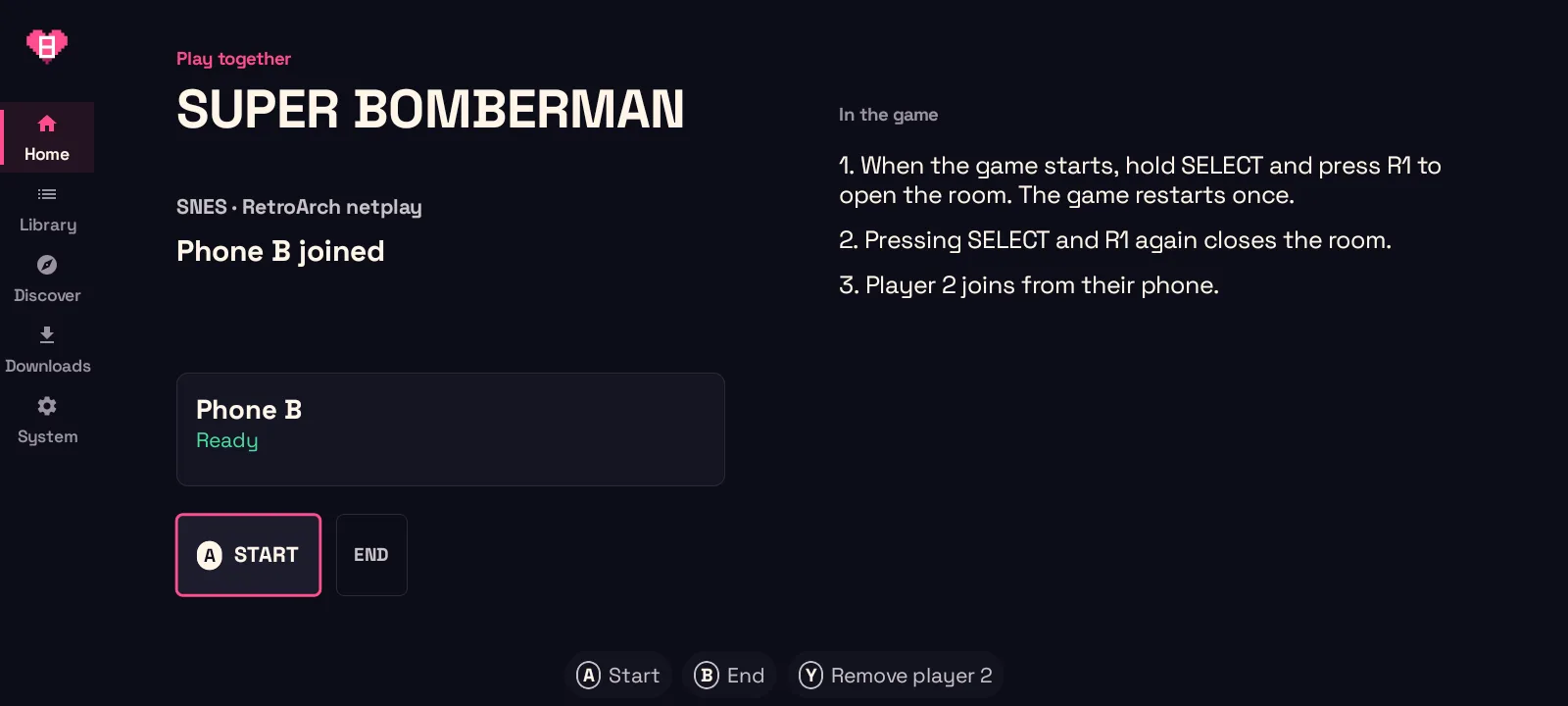
Get ready. The joining phone checks what it needs and fixes what it can (see below). When it’s done, the host shows it as Ready, with the steps for this session type underneath.
-
Start. The host presses START.
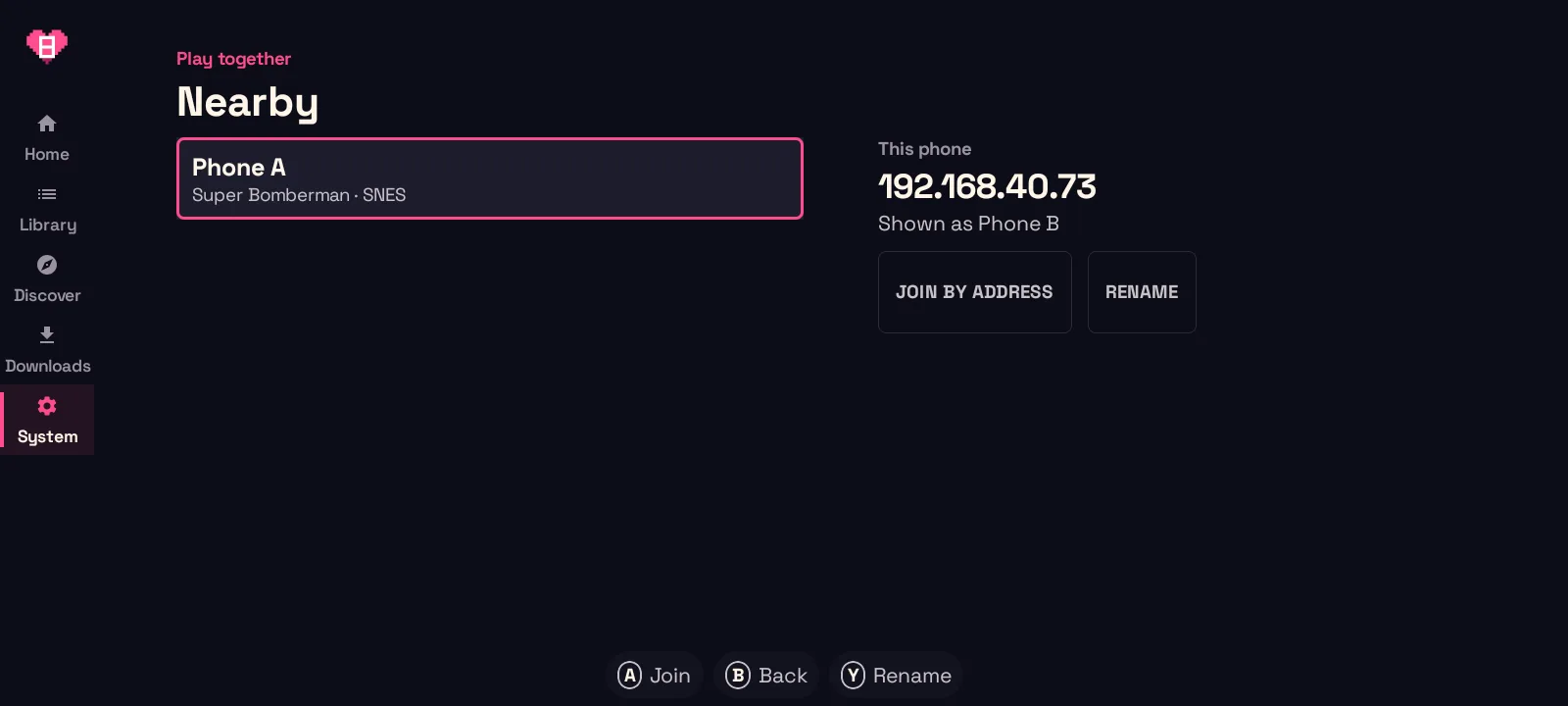
Other phones see your console name. Change it in the Together tab with Rename.
Getting both phones ready
Section titled “Getting both phones ready”For RetroArch netplay, Game Boy link and PSP ad hoc, the joining phone checks that it has the same game:
- If it doesn’t have the game, it offers to download it from the same source.
- If its RetroArch core is a different build from the host’s, it offers Copy core. GameBEX copies the host’s core over and RetroArch installs it. Come back to GameBEX afterwards.
- For Game Boy link, it asks you to pick your game, since the two can differ.
For Stream there’s nothing to prepare: the joining phone is ready as soon as it joins.
When the game starts
Section titled “When the game starts”- RetroArch netplay, Game Boy link and PSP ad hoc: the game starts on both phones, the host’s first. Every session starts from a fresh boot, never from a save state.
- Stream: the game starts on the host the way Play starts it, and the other phone opens the stream as soon as the host shares the game.
In the game
Section titled “In the game”RetroArch netplay
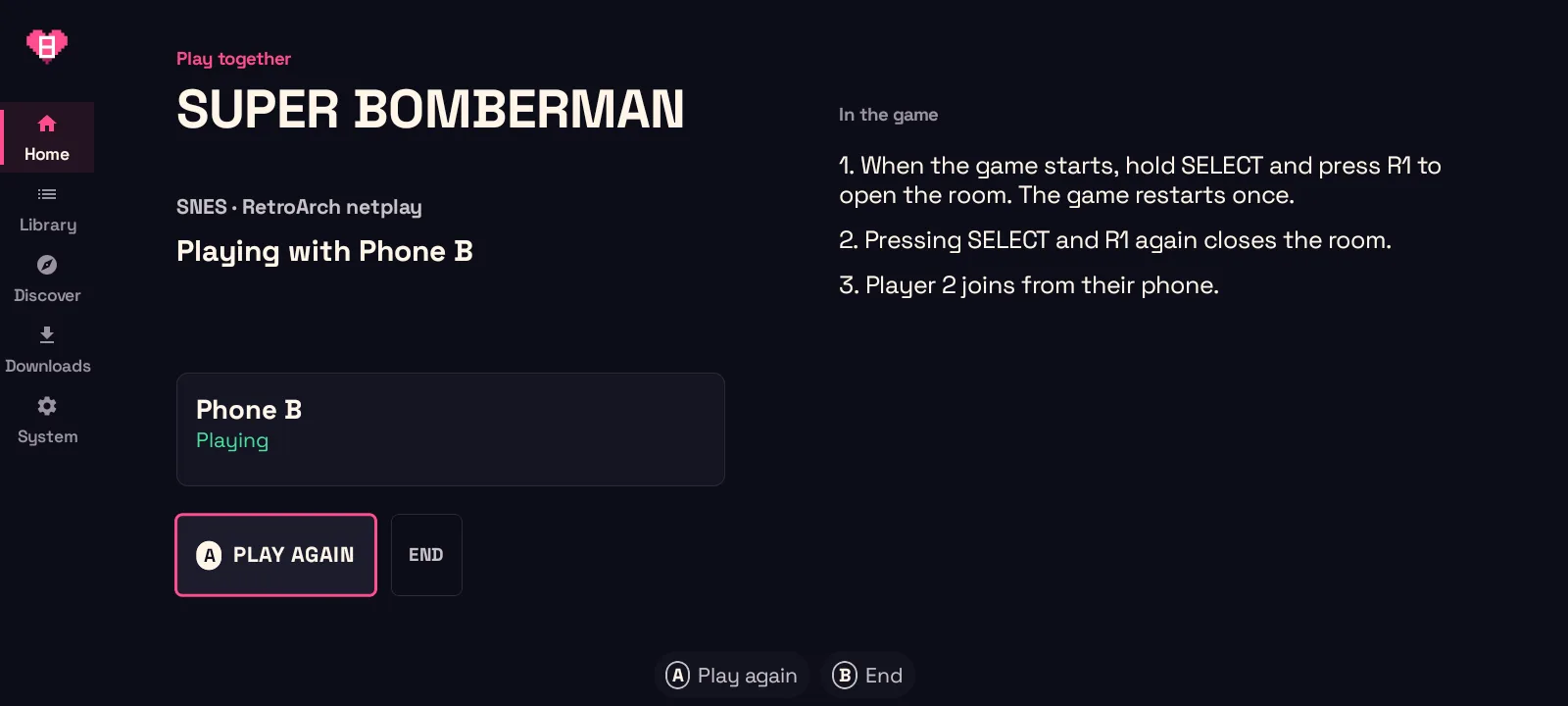
Section titled “RetroArch netplay”- On the host, hold SELECT and press R1 to open the room. The game restarts once.
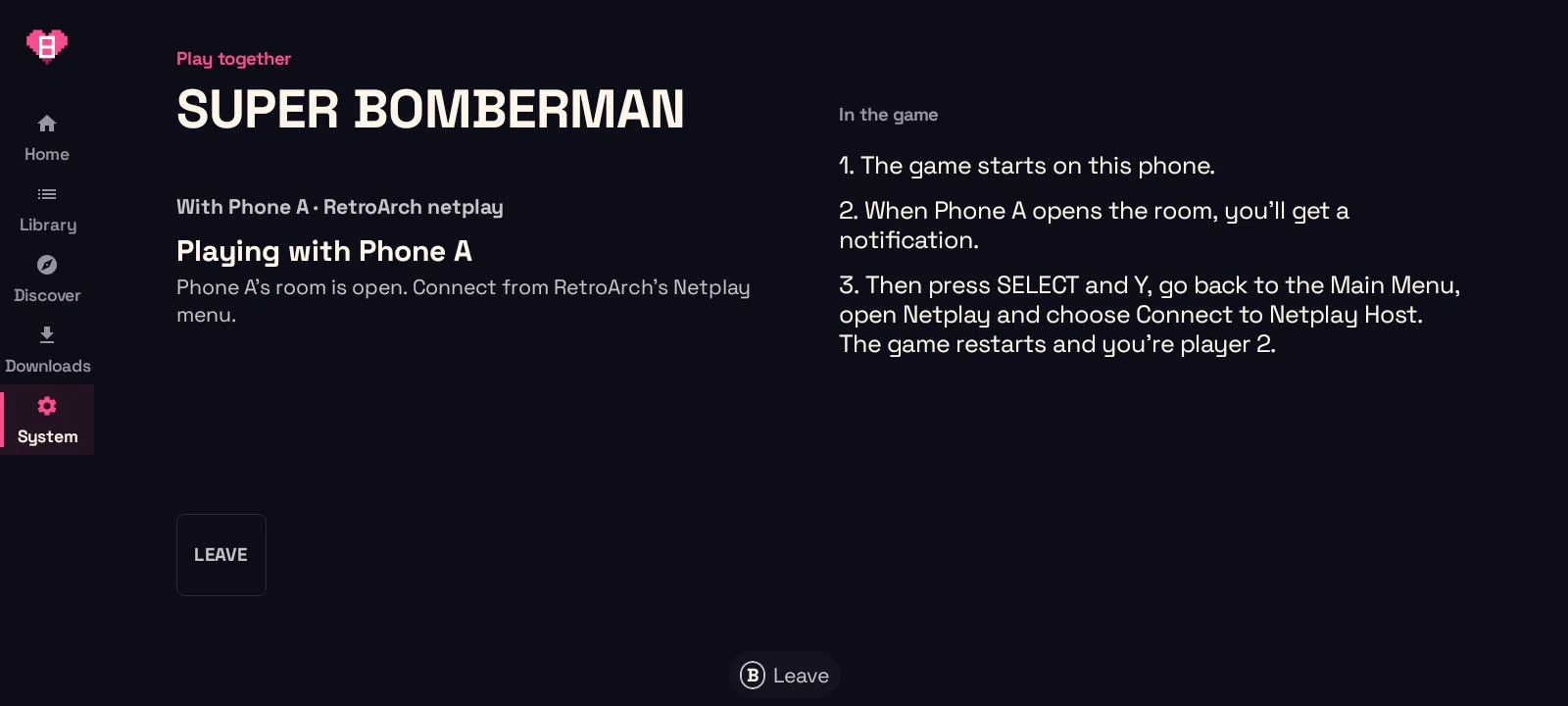
- The other phone gets a notification that the room is open.
- On that phone, press SELECT and Y (X on a Nintendo-style pad) to open RetroArch’s menu. Go back to the Main Menu, open Netplay and choose Connect to Netplay Host. The game restarts, and that phone is player 2.
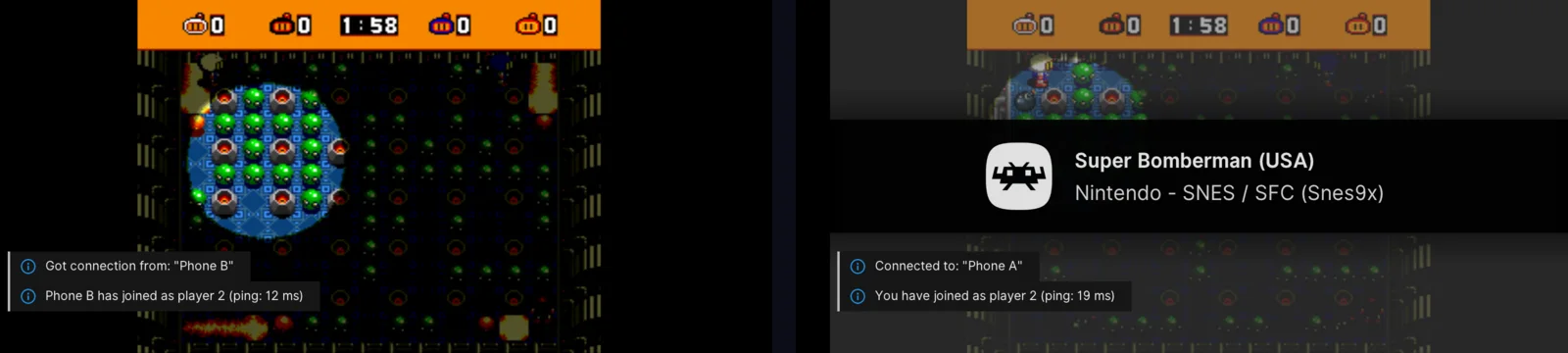
Press SELECT and R1 on the host again to close the room.
Game Boy link
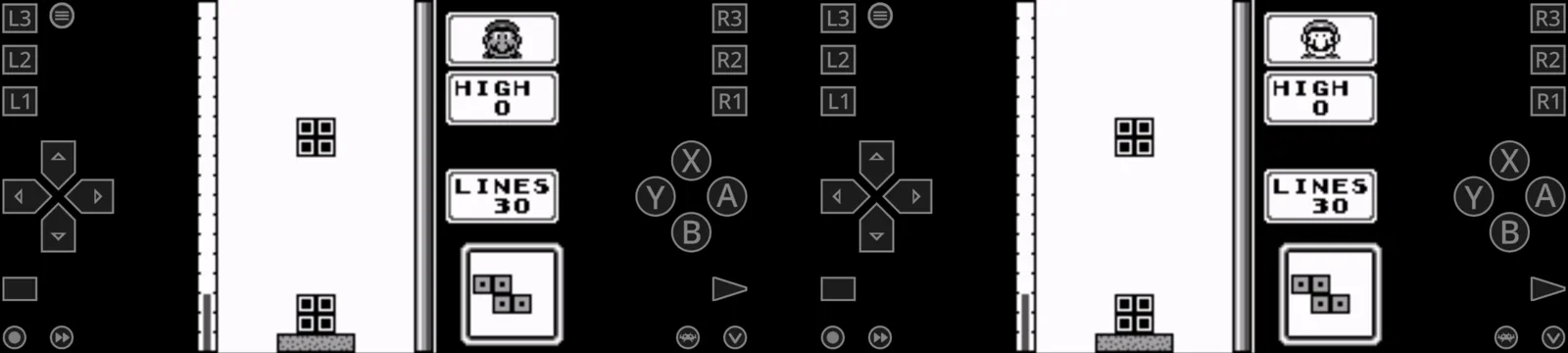
Section titled “Game Boy link”The games start linked, the host’s first. Use the game’s link cable menu, for example Cable Club to trade.
- In a 2-player menu, only one of you picks 2 player. If it jumps back to 1 player, the other Game Boy wasn’t on its menu (Tetris, for one, drops into its demo after a few seconds). Try again.
- Keep RetroArch open on both phones. Opening RetroArch’s menu or leaving the app on one phone freezes the other until it comes back.
PSP ad hoc
Section titled “PSP ad hoc”The game starts in PPSSPP on both phones once the host’s is ready. On both phones, go into the game’s ad hoc or multiplayer mode.
Stream
Section titled “Stream”On the host:
- When the game starts, Android asks what GameBEX may share. On Android 14 and newer, choose to share one app, then pick the game’s emulator (for example RetroArch). On Android 13, which can’t share a single app, Android asks to share the whole screen.
- Play as player 1. The session screen shows Streaming to the other phone, with the frame rate and bitrate.
GameBEX shares only what you pick. If you cancel the prompt, nothing is shared and the stream stops: press START to try again.
Player 2’s controller shows up on the host as GameBEX Player 2:
- RetroArch and the Dolphin app: GameBEX sets player 2 up for the session.
- NetherSX2 and ARMSX2, one time only: open the emulator’s controller settings for port 2 (NetherSX2: Settings → Controllers → Controller Port 2, DualShock 2, then Automatic Mapping) and pick GameBEX Player 2.
- Flycast, one time only: Flycast gives player 1 to the first controller used, so play on a controller on the host phone first and GameBEX Player 2 becomes player 2. On touch alone, the other phone shares player 1.
- MAME4droid: map player 2 to GameBEX Player 2 in the emulator’s input settings. GameBEX shows this step on the host.
- PPSSPP, melonDS, Azahar, Vita3K, ScummVM and J2ME Loader have no second controller on one phone, so there is nothing to set up and the other phone’s pad stays idle.
On the other phone:
- The host’s game fills the screen and its sound plays. Player 2 uses the on-screen controls or a connected controller. The controls copy the host emulator’s own: RetroArch games match the host’s RetroArch overlay button for button, and Dolphin, NetherSX2, ARMSX2, Flycast and melonDS games copy that emulator’s own touch controls. Any other emulator falls back to GameBEX’s own pad.
- Menu → Touch controls tunes the pad: size, opacity, fixed or floating stick, swapped sides, and light haptics, with a reset. The size slider stops where buttons would start overlapping.
- To leave the stream, hold SELECT and START for 2 seconds, press your controller’s home button, or tap Menu and choose Leave stream.
- Open stream brings it back while the host is still playing.
- Menu → Show stats shows the frame rate, the video, input and audio delay, and the Wi-Fi round trip.
- If the Wi-Fi drops for a moment, the stream reconnects by itself. The host keeps the stream up for 15 seconds while the other phone comes back.
Stream flags
Section titled “Stream flags”System → Device → Advanced → Stream flags holds one switch per streaming improvement, set on each phone separately. Each row says which phone it acts on (host, watching, or both); changes apply to the next stream. Defaults resets everything, and Everything promising ON turns on the whole “try these” group for experimenting. The stats overlay lists any non-default flags active on that phone, so you always know what you’re testing.
On the host, End ends the session for both phones, and the other phone says the host ended it. In Stream, End also stops the stream and removes player 2’s controller. On the other phone, Leave leaves the session.
Troubleshooting
Section titled “Troubleshooting”| What you see | What to do |
|---|---|
| Update GameBEX on both phones to play together / Update GameBEX on both phones to use Stream | The phones run different versions of GameBEX. Update both to the same version. |
| This needs Shizuku / Allow GameBEX in Shizuku | Start Shizuku, or allow GameBEX in it, on that phone. |
| This RetroArch is too old to play online together | Update RetroArch from System, then come back. |
| Your core is a different build | Choose Copy core. |
| RetroArch says a netplay peer is running a different version of the core | End the session and start again from GameBEX, so it can copy the host’s core. Different builds can drift out of sync. |
| A Game Boy game jumps back to 1 player | The other phone wasn’t on the game’s menu. Try again. |
| RetroArch isn’t responding during a Game Boy link game | One phone left RetroArch or opened its menu. Go back to the game on both phones. |
| Streaming from this phone needs Android 13 or newer | Host from the other phone, if it has Android 13 or newer. |
| Watching a stream needs Android 10 or newer | The joining phone is too old to watch. |
| Sharing was cancelled. Start again to share the game. | Press START and, in Android’s prompt, share the game’s app. |
| Couldn’t open the stream from the host | Put both phones on the same Wi-Fi network, then join again. |
| Streaming without sound | The host’s phone won’t share the game’s audio. The picture and player 2 still work. |
| Player 2 does nothing in NetherSX2, ARMSX2, Flycast or MAME4droid | Set controller port 2 to GameBEX Player 2 in that emulator (see Stream). |
| Player 2 does nothing in PPSSPP, melonDS, Azahar, Vita3K, ScummVM or J2ME Loader | Those emulators have no second controller on one phone, so the other phone’s pad stays idle. |
| Player 2 moves but its buttons don’t work in a RetroArch game | Update RetroArch from System to the GameBEX build, or leave Stream flags → P2 slot workaround on Auto (see Stream). |
| The watching phone shows two overlapping control pads | The video still carries the host’s RetroArch overlay. On the host, turn on Crop to game picture in Stream flags (for 4:3 games), or hide the host overlay with a connected controller. |
| The stream stutters or lags | Move both phones closer to the Wi-Fi router. |