
 BEX is my wife's nickname. I started GameBEX to get her into video games.
Source plugins
Turn a compatible ROM site's catalog into a library you can browse with a controller. Use the prompt below to have your coding agent write the plugin.
Browse a compatible ROM site’s catalog inside GameBEX, search for a game, and add it to your download queue with a controller. A source plugin is the JSON file that tells GameBEX how to read that site. You can write one, import one someone shared, or use the prompt below with a coding agent.
The app calls plugins Game sources. It ships with no plugins, catalog, or games, so Discover stays empty until you add one. GameBEX doesn’t operate, endorse, or verify any plugin or the site behind it.
Import a plugin and play
Section titled “Import a plugin and play”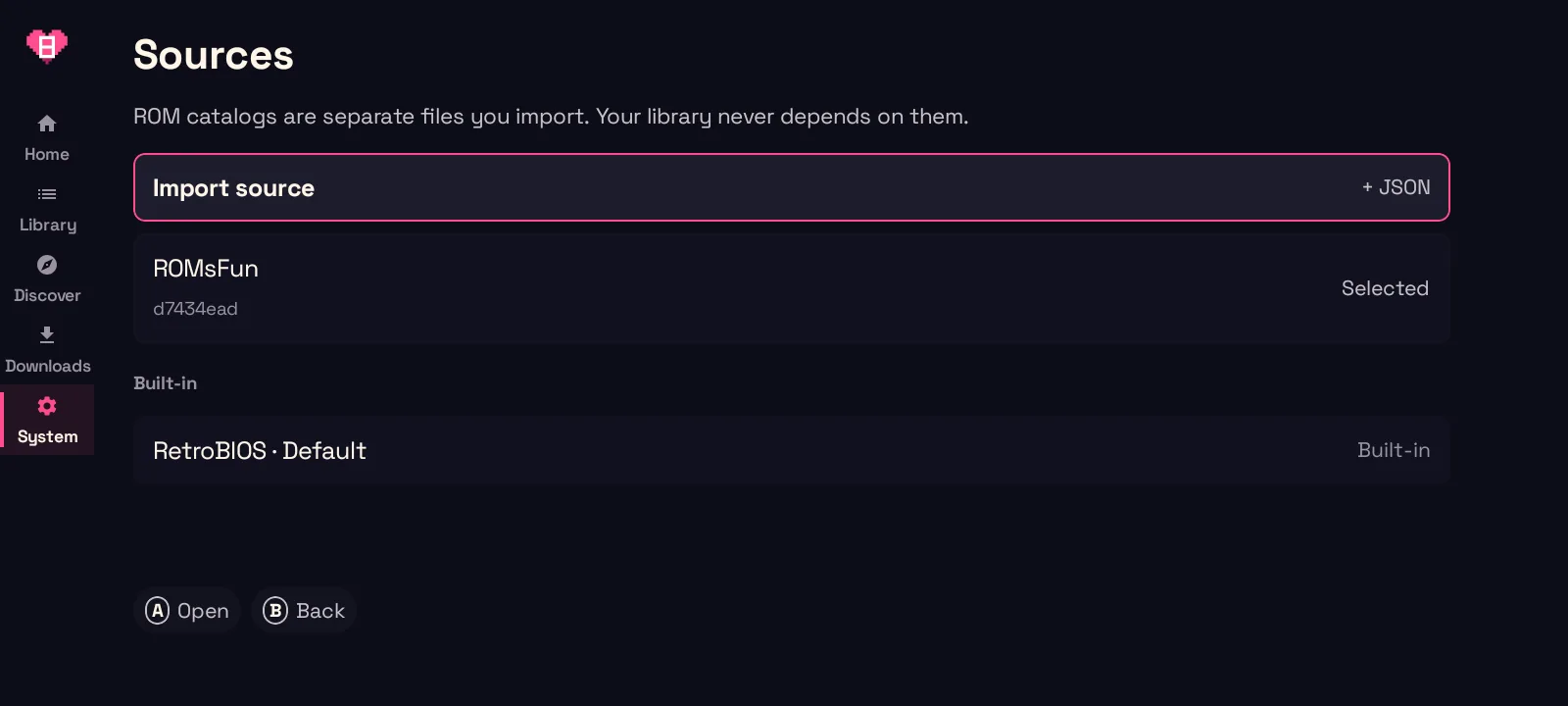
-
Import. Go to System → Device → Game sources → Import source and pick the
.jsonfile. GameBEX checks it before anything is installed and rejects a file it doesn’t understand. -
Read the label. The import screen shows the plugin’s name, version, and author, and marks the author unverified. When a file replaces a plugin you already have, the screen lists every new domain the update wants, and if you back out, nothing changes.
-
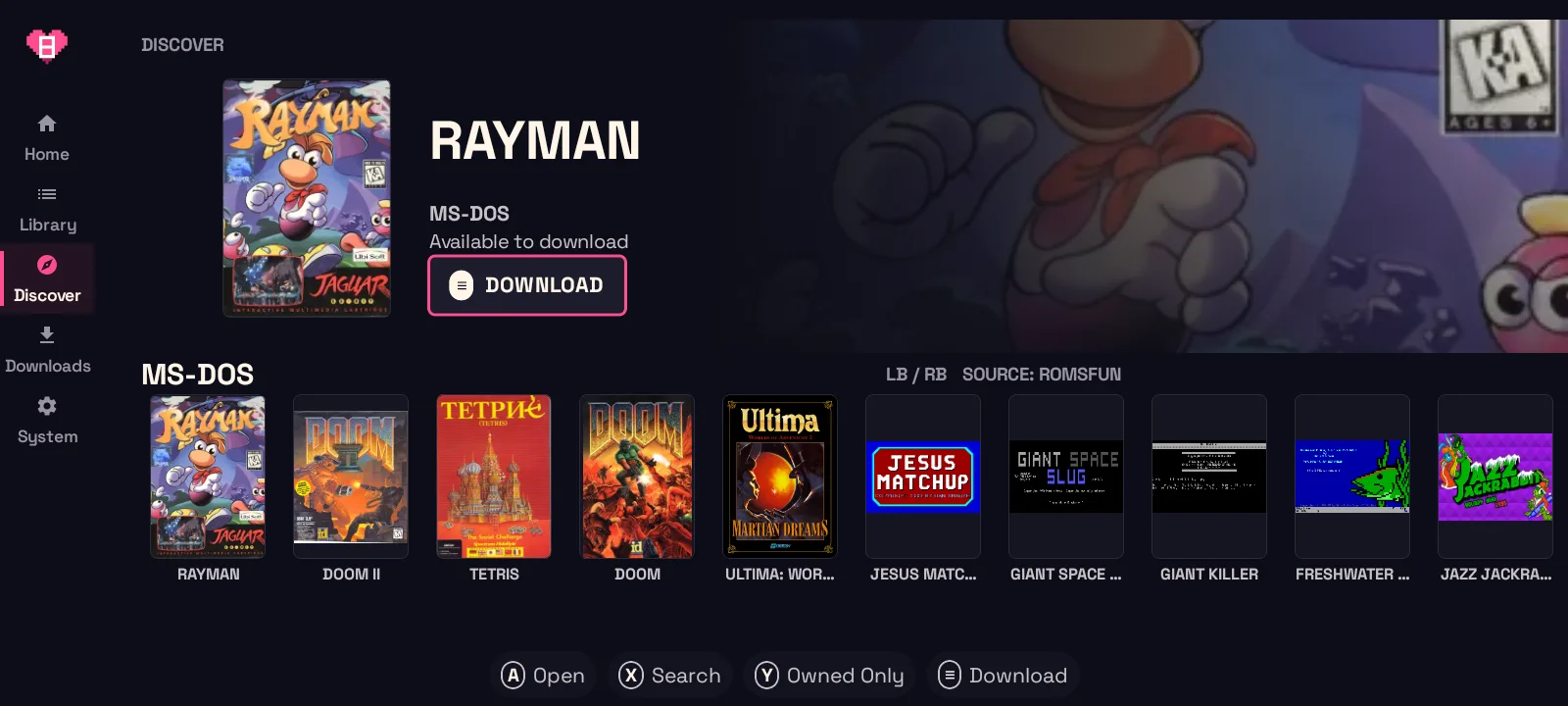
Browse. Discover fills with the site’s consoles, latest additions, and search, and you move through it with the D-pad like every other screen.
-
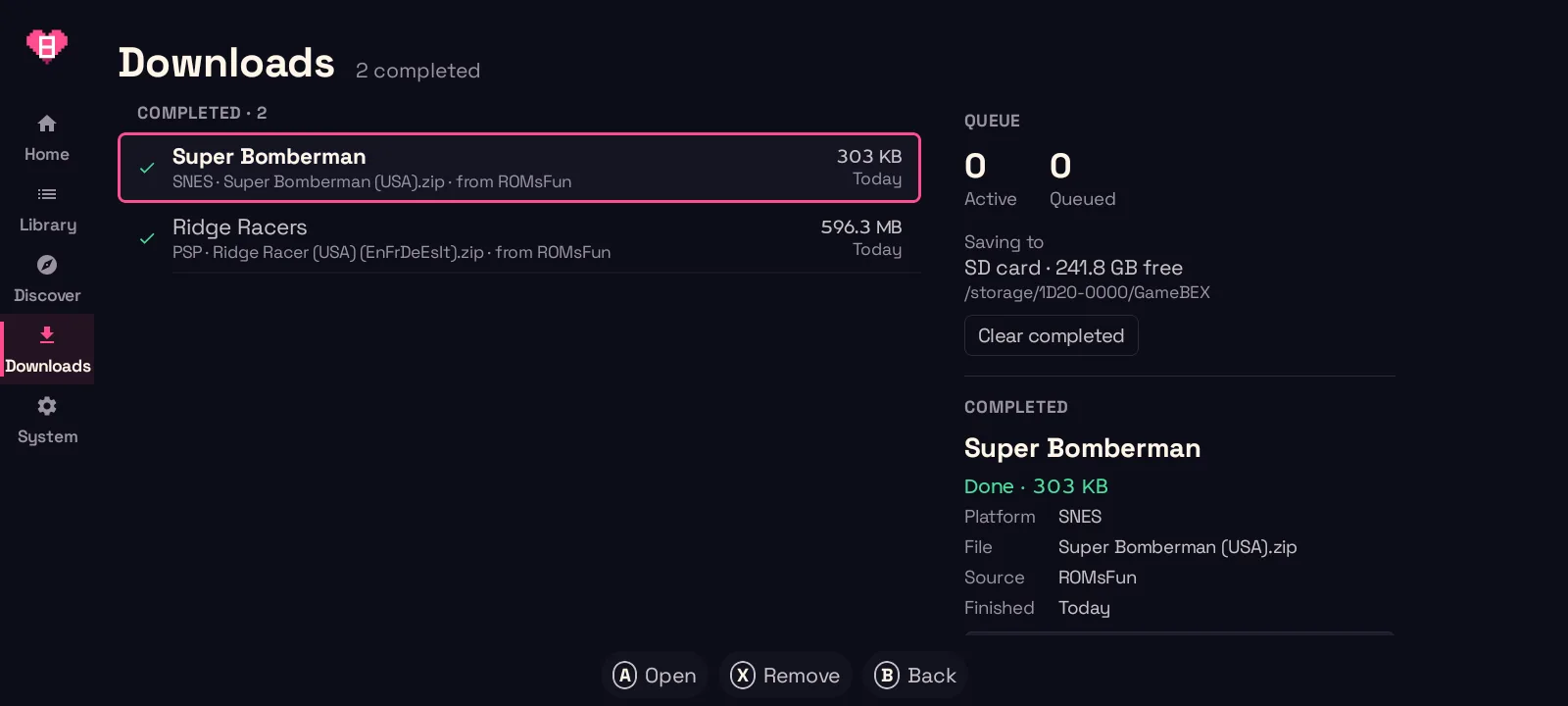
Download. Press A on a game to add it to the download queue. If you disable or remove the plugin mid-download, the download pauses until you retry it.
-
Prep. GameBEX unpacks archives, checks
.cue,.gdi, and.m3usheets, builds a playlist for multi-disc games, and checks BIOS files against known checksums. Anything it can’t fix on its own is named on the game page, and Formats & disc prep has the details. -
Play. The button on the game page now says Play.
Which sites a plugin can contact
Section titled “Which sites a plugin can contact”Each plugin lists the domains it may contact for each job, and GameBEX checks every request against that list, including redirects. Here is an example using a made-up domain:
{ "schemaVersion": 1, "id": "roms-i-own", "name": "ROMS-I-Own", "author": "You, probably", "requires": ["http-v1", "expressions-v1", "catalog-v1"], "origins": { "catalog": ["https://roms-i-own.com"], "download": ["https://dl.roms-i-own.com"], "artwork": ["https://img.roms-i-own.com"], "assist": [] }, "platforms": { "sfc": "snes", "ps1": "psx" }, "operations": { "search": { ... }, "resolveDownload": { ... } }}The author field is a name supplied by the plugin, not a verified identity.
The four purposes are:
| Purpose | Used for |
|---|---|
catalog |
Consoles, browsing, search, and game details |
download |
The file transfers themselves |
artwork |
Cover art, loaded only through that plugin’s own image loader |
assist |
Browser verification, and only if the plugin turns it on |
- Every request URL, including every redirect hop, has to match the list for
its purpose, so a redirect to
cdn.somewhere-else.comis refused, and so ishttp://roms-i-own.com. - Requests use HTTPS on the default port with no credentials in the URL, and DNS answers must be public addresses.
- A plugin can’t set cookies or authorization headers, and it can’t pick file names, folders, or volumes, because GameBEX decides where everything goes.
What never depends on a plugin
Section titled “What never depends on a plugin”Your library, BIOS files, emulators, and downloaded games all work with zero plugins installed. BIOS checks, emulator installs, RetroArch cores, and ScreenScraper covers are built into GameBEX. Plugins are data only, and GameBEX never bundles, installs, or updates them on its own.
Have your coding agent write one
Section titled “Have your coding agent write one”Type the ROM site below, copy the prompt, and paste it into a coding agent that can read the GameBEX repository. The prompt asks it to read the format and working example, write the JSON, and test each operation against saved responses. Check the result before importing it. A site’s download flow has to work within the supported source format; not every site will work.
Replace ROMS-I-Own.com in the prompt below with your ROM site.
Only use a site you have the right to use, and only play games you own.
Copy the prompt into your coding agent
Import the file in GameBEX
System›Device›Game sources
You are building a GameBEX source plugin for ROMS-I-Own.com. Only do this for a site you have the right to use this way; the plugin is yours and GameBEX does not review or endorse it.

A GameBEX source plugin is ONE data-only JSON file (schemaVersion 1, strict UTF-8, max 1 MiB, no code). Read these first, from the GameBEX repo (https://github.com/jeffnash/GameBEX):
- docs/source-schema.md (the definition language)
- source-runtime/src/main/resources/source.schema.json (machine schema)
- source-runtime/src/test/resources/synthshop.source.json (a complete working example)

Then:
1. Study ROMS-I-Own.com's public pages/API. Find how to list consoles, browse, search, show a game's detail and file variants, and get a download link.
2. Write `<id>.source.json` with:
   - id [a-z][a-z0-9._-]* (not starting with "builtin")
   - name, author, version
   - requires ["http-v1","expressions-v1","catalog-v1"] (add "assist-v1" only if assist.enabled is true)
   - origins: the exact HTTPS hosts per purpose (catalog / download / artwork / assist), as https://host with the default port and no credentials. Anything not listed is blocked, including redirect hops.
   - platforms: map the site's platform slugs to GameBEX folder ids.
   - all 8 operations: consoles, types, latest, browse, search, detail, variants, resolveDownload. Each is built from request steps plus expressions (ref, html, select, text, attr, map, json, get, concat...).
3. Rules the validator enforces:
   - unknown fields are rejected
   - no cookie/authorization/host/content-length/connection/range headers
   - no regex CSS selectors (:matches... or [attr~=regex])
   - expressions nest at most 64 deep
   - the plugin never chooses file paths, folders, or volumes; GameBEX does
4. Save a few real responses as fixtures and check every operation's output against them. Iterate until the definition validates (run the runtime's DefinitionValidator via `./gradlew :source-runtime:test` or a small test).
5. Hand me the JSON file and a list of the origins it requests. I'll import it on my phone via System → Device → Game sources → Import source and review it before confirming.
Show the full promptShow less
The full definition language, with every operation and expression, is in Writing a source.